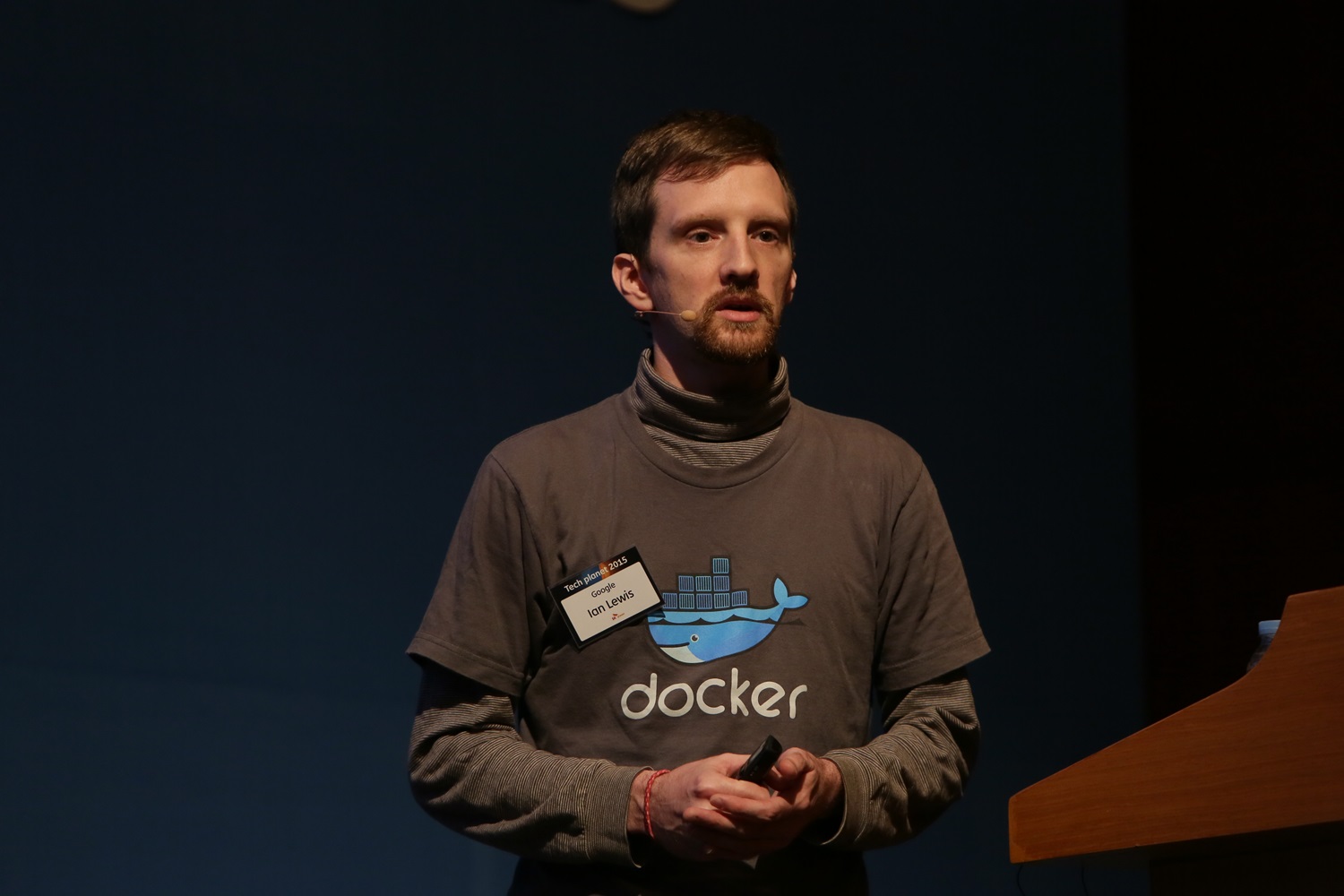
Ian Lewis
Ian Lewis is a web developer living in Tokyo Japan. His current interests are in Django, python, alternative databases and rapid web application development. About Me...
  • Google Chrome Background Connections

    Today I found that google chrome was making lots of background connections to 1e100.net. I was a little worried at first but this seems to be a google owned domain and these connections are used for their anti-phishing/malware feature.

    But even after disabling the feature I still noticed lots of connections open to 1e100.net:

    ian@macbook-ian:~$ lsof -i4 | grep chrome
    chrome  5294  ian   70u  IPv4  82734      0t0  TCP macbook-ian.local:54753->nrt04s01-in-f99.1e100.net:www (ESTABLISHED)
    chrome  5294  ian   81u  IPv4  82735      0t0  TCP macbook-ian.local:54754->nrt04s01-in-f99.1e100.net:www (ESTABLISHED)
    chrome  5294  ian   82u  IPv4  82736      0t0  TCP macbook-ian.local:54755->nrt04s01-in-f99.1e100.net:www (ESTABLISHED)
    chrome  5294  ian   89u  IPv4  83365      0t0  TCP macbook-ian.local:56139->tx-in-f100.1e100.net:www (ESTABLISHED)
    chrome  5294  ian   94u  IPv4  83413      0t0  TCP macbook-ian.local:46004->tx-in-f138.1e100.net:www (ESTABLISHED)
    

    Google seems to be doing a lot of user tracking via google chrome.

    As for 1e100.net, it seems to be a domain used by google as a gateway to their server infrastructure. Simply pinging www.google.com reveals that it's aliased to a 1e100.net subdomain:

    ian@macbook-ian:~$ ping www.google.com
    PING www.google.com (66.249.89.104) 56(84) bytes of data.
    64 bytes from nrt04s01-in-f104.1e100.net (66.249.89.104): icmp_seq=1 ttl=51 time=10.2 ms
    ...
    
    Send feedback   このエントリーを含むはてなブックマーク はてなブックマーク - Google Chrome Background Connections
  • Minimum cost for warming-up various frameworks(and more)

    My good friend Takashi Matsuo wrote an interesting blog about start up times of various frameworks on appengine. Because appengine kills your server process it often needs to load your application into memory from scratch. This can take a lot of time if a lot of modules are loaded.

    http://takashi-matsuo.blogspot.com/2009/10/minimum-cost-of-various-frameworks-cold.html

    Send feedback   このエントリーを含むはてなブックマーク はてなブックマーク - Minimum cost for warming-up various frameworks(and more)
  • Google Appengine SDK 1.2.3

    The Google Appengine SDK 1.2.3 was just released and contains some often asked for goodies such as Django 1.0 support and support for a task queue API.

    I haven't found much information about the Django 1.0 version in Appengine but here are some links with some related information about the Task Queue API.

    The code looks something like the code below. You tell the task queue that you have some work to do later and which url the worker is located at. The worker is then called via a Web Hook post request with the parameters you gave it. The request is limited to 30 seconds like most requests. It will continue retry the work until it gets a 200 OK response (That isn't to say that you should just return a 500 HTTP status if your worker cannot complete in time. If you have more work your worker should add itself back to the queue and return 200 OK).

    Tasks are executed as soon as possible and only if there is work so it's quite a bit different from the cron support which runs every so often regardless of whether there is work or not. Based on the demo from Google I/O it runs faster than normal requests so you might even have some work finished before the request that added the work to the task queue finishes and gets back to your browser!

    import wsgiref.handlers
    from google.appengine.api.labs import taskqueue
    from google.appengine.ext import db
    from google.appengine.ext import webapp
    from google.appengine.ext.webapp import template
    
    class Counter(db.Model):
      count = db.IntegerProperty(indexed=False)
    
    class CounterHandler(webapp.RequestHandler):
      def get(self):
        self.response.out.write(template.render('counters.html',
                                                {'counters': Counter.all()}))
    
      def post(self):
        key = self.request.get('key')
    
        # Add the task to the default queue.
        taskqueue.add(url='/worker', params={'key': key})
    
        self.redirect('/')
    
    class CounterWorker(webapp.RequestHandler):
      def post(self):
        key = self.request.get('key')
        def txn():
          counter = Counter.get_by_key_name(key)
          if counter is None:
            counter = Counter(key_name=key, count=1)
          else:
            counter.count += 1
          counter.put()
        db.run_in_transaction(txn)
    
    def main():
      wsgiref.handlers.CGIHandler().run(webapp.WSGIApplication([
        ('/', CounterHandler),
        ('/worker', CounterWorker),
      ]))
    
    if __name__ == '__main__':
      main()
    
    Send feedback   このエントリーを含むはてなブックマーク はてなブックマーク - Google Appengine SDK 1.2.3
  • Google I/O Day 1

    I'm about 2 weeks late getting around to writing about Google I/O and most people already know what went on but I'll share a bit more. The keynote was given by Vic Gundotra. Vic announced that Google would be pushing HTML 5.0 in order to speed up acceptance of the web as a platform. He included 5 things that Google is excited about. These include,

    • The canvas tag
    • The video tag
    • GPS/Location data
    • Offline data
    • Web workers

    At the end he announced that everyone gets an android phone. Since Android phones are starting to come out now they seem to really be ramping up trying to get people to write applications.

    After attending sessions, mostly on appengine, I attended the after hours party which included interesting talks with Brett Slatkin and Guido Van Rossum both from the appengine team and one being, of course, the creator of the python programming language and ridiculously famous.

    Send feedback   このエントリーを含むはてなブックマーク はてなブックマーク - Google I/O Day 1
  • Google Wave BOF

    I attended the Google Wave BOF (Birds of a Feather, A gathering of people with similar interests). It was a good time for folks with Google Wave accounts to show it off to folks who can't sign into it yet. It originally was going to be about 25 people but due to popular demand the location had to be moved, and it went up to about 40 people. Lots of folks were interested in hearing about Google Wave as a new collaborative platform.

    id:a2c mentioned my 'debuggy' robot that I created to show events as they get fired by Google Wave. Below is me showing off debuggy at the Googleplex. I got a very tepid response from the folks at the hackathon. I seemed to get a better response from people at the BOF. I'll talk more about debuggy in a later post.

    As it is, currently it was hard for most people to visualize how they would use the tool for daily work but everyone seemed interested in the possibilities and it was recieved warmly. Looking forward to future releases of Google Wave!

    Send feedback   このエントリーを含むはてなブックマーク はてなブックマーク - Google Wave BOF
  • Google IO 2009

    This year I attended Google IO and had so much fun that I think I'll have to break it up into several blog posts. Google IO is held in San Francisco and is the #1 Google event of the year. About 4000 or so developers attended the event which was held in the Moscone West Convention Center. In this post I'll kind of give the history of the events leading up to the event and some context.

    One day in late January or so, Google announced that registration for this year's Google IO was open and there was a subsequent conversation on twitter that ensued which led to id:tmatsuo, id:a2c, id:voluntas, myself, and several others proclaiming they were going to attend this year's event.

    I found out that the office of one of my old classmates, Bob Ippolito, is close to the event so I sort of jokingly invited myself and id:tmatsuo to stay at his office. You might know Bob as the co-founder and CTO of a company called MochiMedia, or as the author of numerous pieces of well used free software such as simplejson, MochiWeb, MochiKit, or PyObjC or as the coiner of the phrase JSONP (Note the date of the blog post). He has consistently gotten into things before they become big, including technologies such as json, erlang, Non-RDBM databases and often gives talks about them which essentially give you key insights into the future of web programming.

    ded by offering to let me and id:tmatsuo stay at his apartment. However, when it came close to the event Bob realized that he was going to be at another conference for Flash developers in Boston, which meant that we would only have one day where we were both in San Francisco. Bummer! But he let us stay at his house even though he wasn't going to be there saving us a lot of money. He was very gracious.

    Me and Bob

    Unfortunately, a few folks such as id:voluntas couldn't go to the event because of overreactions by their employers to the outbreak of swine flu but almost everyone that did go arrived in San Francisco on May 26th. I'll continue in a later blog post!!

    Send feedback   このエントリーを含むはてなブックマーク はてなブックマーク - Google IO 2009
  • Transactions on Appengine

    The way to store data on Appengine is with Google's BigTable Datastore which has support for transactions. However, the transactions are quite limited in that,

    1. You can only execute callables inside transactions. Which means you basically call run_in_transaction() on a function. This can sometimes be a pain but can generally be worked around with decorators and the like.
      def my_update_function():
        # Some update code here
        ent.put()

      run_in_transaction(my_update_function)
    2. You can only update entities in the same entity group. This means all entities must be in the same ancestor tree. This can make updating entities with various relationships hard or impossible to do in a general way in a transaction.
    3. You cannot do filters in a transaction. This means you cannot do any kind of select, period. This means you cannot do the following:
      class ModelA(db.Model):
        pass

      class ModelB(db.Model):
        modela = ReferenceProperty(ModelA)

      def update_func():
        # Sorry this won't work
        modelas = ModelA.all()

        # This is the only thing that works
        modela = ModelA.get_by_id(123)

        # Jeez, you can't do this either!
        modelb = ModelB.filter('modela =', modela)
      You can only do gets based on the key of an entity. Which means if you have a relationship like the one above you need to be able to derive the key to ModelB given the key for ModelA. And since you cannot chose numeric keys with which to save entities (numeric keys are always assigned), you will need to assign key names for both entities.

    All this makes transactions a bit of a pain in Appengine but workable if you put a bit of effort into it. In the end you'll want to use key names for most every entity that matters as current backup solutions for Appengine rely on key names to maintain the keys of entities when backing up and restoring. It wouldn't be to fun if all the urls for an entity that had numeric ids changed after restoring the data from a backup.

    Send feedback   このエントリーを含むはてなブックマーク はてなブックマーク - Transactions on Appengine
  • Jaiku on Appengine

    Yesterday Google's Twitter-like service, Jaiku was released as open source running on Google Appengine so I decided to take it for a spin. It has a lot of neat parts like XMPP and google contacts integration, but what I'm interested in most is how it implements it's publisher/subscriber model.

    I brought the code down from svn and tried to follow the instructions, but I got a "No module named django" error. One of the problems currently with appengine is that you have a limit of 1000 files you can upload. Because of this limit when deploying jaiku you need to zip a bunch of libraries into a zip file and use zipimport. Accordingly you have to prevent the source files from being uploaded because you get an error saying you can't upload more than 1000 files.

    The problem there is that the newest (1.1.9) SDK prevents you from loading modules and/or accessing files that are specified in the skip-files directive in your app.yaml. This prevented me from importing django because it's a zipped module.

    At first I tried just zipping the files up using the zip_all command in the Makefile (make zip_all) but I still got the same error so I just commented out the relevant parts in app.yaml.

    skip_files: |
     ^(.*/)?(
     (app\.yaml)|
     (app\.yml)|
     (index\.yaml)|
     (index\.yml)|
     (#.*#)|
     (.*~)|
     (.*\.py[co])|
     (.*/RCS/.*)|
     # (\..*)|
     # (manage.py)|
     # (google_appengine.*)|
     # (simplejson/.*)|
     # (gdata/.*)|
     # (atom/.*)|
     # (tlslite/.*)|
     # (oauth/.*)|
     # (beautifulsoup/.*)|
     # (django/.*)|
     # (docutils/.*)|
     # (epydoc/.*)|
     # (appengine_django/management/commands/.*)|
     # (README)|
     # (CHANGELOG)|
     # (Makefile)|
     # (bin/.*)|
     # (images/ads/.*)|
     # (images/ext/.*)|
     # (wsgiref/.*)|
     # (elementtree/.*)|
     # (doc/.*)|
     # (profiling/.*)
     )$

    From there it should have worked but I got an error about the pstats module. That just happened to not be installed on my machine so installed python-profiler and Jaiku ran from there.

    Send feedback   このエントリーを含むはてなブックマーク はてなブックマーク - Jaiku on Appengine
  • Make Firefox look like Chrome

    Recently Google Chrome has been pretty popular with web folks and Google fans. It's fast and has only a little "chrome" or window trimmings which makes the overall screen bigger when viewing webpages. However it lacks a lot of features that are present in Firefox that I pretty much can't do without so today I set about making Firefox have all the small interface improvements that make Chrome so nice. Fortunately you can do this with existing plugins.

    The first thing I did was try to reduce Firefox's "chrome" by tightening up the menus. I right clicked on the menu's in the top and hit "Customize" which lets me customize the menu bars. I put the navigation buttons (back, forward, stop, etc.), bookmark buttons, home, toolbar bookmarks, navigation bar and search bar all in the same toolbar. I hid all other toolbars. I hid the status bar by selecting the checkbox under View->Show statusbar.

    I then realized that I almost never use the menubar (File, Edit etc.) and I could hide this. Unfortunately you can't get rid of the menubar in the default Firefox. This is where the Hide Menubar Addon comes in. This plugin is very simple as it simply allows you to hide he menu bar like any other toolbar. You can show it again temporarily by hitting alt. Very useful.


    Hide Menubar

    Next I went about adding a start page. I came across this blog post which suggested using the New Tab Jumpstart which is the most like Google Chrome's start page but the one I settled with was the Fast Dial which is more like Opera's speed dial.


    Fast Dial

    Chrome has dynamic context menus that change based on what yau have selected, what you are clicking on etc. This functionality was implemented in the FFChrome addon.


    FFChrome

    Chrome's omnibox is pretty cool. You can get similar functionality but not quite a good from the Omnibox Firefox addon. Firefox's omnibox ties into the registered search engines in firefox and requires that you type an @youtube or the like for search engines other than the default.


    Omnibox

    You can hide window trimmings to maximize window space a bit more by using the Hide Titlebar addon. This didn't work well for me in Linux however so I don't use it there.

    For those that want to really make it look like chrome you can install the Chrome theme which is actually pretty darn good and beats the bulky, tall, tabs in the default theme.


    Chromifox

    When you put that all together it looks something like this:

    Now I have a much more usable and productive browser and still have access to all the nice Firefox plugins that I use regularly Firebug and Delicious bookmarks.

    Send feedback   このエントリーを含むはてなブックマーク はてなブックマーク - Make Firefox look like Chrome
  • Protocol Buffers

    A few days ago Protocol Buffers was released by Google as an open source project. Protocol Buffers is a way to generate code for objects that can be serialized to and de-serialized from the protocol buffers binary format. An implementation of the protocol buffers compiler which reads a "proto" and can output Java, Python, and C++ code. Because the format is a binary format and the compiler can output in several languages, this would allow for fast message passing between applications that may or may not be implemented in the same language.

    I went ahead and created two simple Java and Python applications that test protocol buffers by simply creating a simple User object, prompting the user for a nickname and e-mail and then serializing the result. I also added a command to de-serialize the output and show the contents of the reconstituted object.

    Here I ran the Java program to write the protocol buffers data to a file and then I run the python program to read it.

    ian@laptop:~/src/protocol-buffers-test$ make javawrite
    mkdir -p java
    protoc --java_out=java/ prototest.proto
    javac -classpath "java/:protobuf-java-2.0.0beta.jar" java/test.java java/prototest/Prototest.java
    java -cp ".:java/:protobuf-java-2.0.0beta.jar" test write test.out
    Nickname: Ian <- this is input
    Email: test@test.com <- this is input
    土 7月 12 19:09:28
    ian@laptop:~/src/protocol-buffers-test$ make javaread
    java -cp ".:java/:protobuf-java-2.0.0beta.jar" test read test.out
    User
    Nickname: Ian <- this is output
    Email: test@test.com <- this is output
    土 7月 12 19:09:33
    ian@laptop:~/src/protocol-buffers-test$

    Code available here. Code listing follows.

    proto file: prototest.proto

    option java_package = "prototest";

    message User {
      required string nickname = 1;
      required string emailaddress = 2;
    }

    Java program: test.java

    import prototest.*;
    import com.google.protobuf.CodedInputStream;
    import java.io.*;
    /**
     * class test
     * Class to test protobuffer
     * @author Ian Lewis <IanLewis@member.fsf.org
     */
    public class test {
           
      public static void main(String[] args) {
        if (args.length < 1) {
          System.err.println("Need a command");
        } else if (args.length < 2) {
          System.err.println("Need a file name");
        } else if (args[0].equals("write")) {
          try {
            Prototest.User.Builder userbuilder = Prototest.User.newBuilder();
           
            BufferedReader in = new BufferedReader(new InputStreamReader(System.in));
            String nickname = new String();
            String email = new String();
            while (nickname.length() == 0) {
              System.out.print("Nickname: ");
              nickname = in.readLine();
              if (nickname.length() == 0) {
                System.err.println("Nickname is empty!");
              }
            }
            while (email.length() == 0) {
              System.out.print("Email: ");
              email = in.readLine();
              if (email.length() == 0) {
                System.err.println("Email is empty!");
              }
            }
           
            userbuilder.setEmailaddress(email);
            userbuilder.setNickname(nickname);
           
            FileOutputStream out = new FileOutputStream(new File(args[1]));
            userbuilder.build().writeTo(out);
            out.close();
          } catch (IOException ioe) {
            System.err.println(ioe.getMessage());
          }
        } else if (args[0].equals("read")) {
          try {
            FileInputStream filein = new FileInputStream(new File(args[1]));
            CodedInputStream in = CodedInputStream.newInstance(filein);
            Prototest.User user = Prototest.User.parseFrom(in);
            System.out.println("User");
            System.out.println("Nickname: "+user.getNickname());
            System.out.println("Email: "+user.getEmailaddress());
            filein.close();
          } catch (IOException ioe) {
            System.err.println(ioe.getMessage());
          }
        } else {
          System.err.println("Unknown command");
        }
      }
     
    }

    Python program: test.py

    import sys
    import prototest_pb2

    def PromptForUser(person):
      user.nickname = raw_input("Nickname: ")
      user.emailaddress = raw_input("Email: ")
     
    def PrintUsage():
      print "Usage:", sys.argv[0], "[read/write] file"
      sys.exit(-1)

    if len(sys.argv) != 3 or (sys.argv[1] != "read" and sys.argv[1] != "write"):
      PrintUsage()

    user = prototest_pb2.User()

    # Read
    if (sys.argv[1] == "read"):
      try:
        f = open(sys.argv[2], "rb")
        user.ParseFromString(f.read())
        f.close()
       
        print "User"
        print "Nickname: %s" % user.nickname
        print "Email: %s" % user.emailaddress
      except IOError:
        print sys.argv[1] + ": Could not open file."
        sys.exit(-1)
    elif (sys.argv[1] == "write"):
      PromptForUser(user)
      # Write
      f = open(sys.argv[2], "wb")
      f.write(user.SerializeToString())
      f.close()
    else:
      PrintUsage()
    </code></pre>
    Send feedback   このエントリーを含むはてなブックマーク はてなブックマーク - Protocol Buffers